Practical checks to reduce downtime, protect equipment and improve IT resilience
When businesses think about IT reliability, they often focus on the obvious things: servers, firewalls, broadband, backups and cyber security tools. Those are all important, but the physical environment around that equipment matters too.
In our day-to-day work with clients, we regularly see well-specified IT equipment sitting in less-than-ideal conditions. A network cabinet in a warm cupboard. Critical devices connected through overloaded extension leads. Cables that have become untidy as equipment has been added over time.
None of this is unusual. Most businesses grow gradually. Equipment gets added when it is needed, offices change, and before long the comms cabinet that was perfectly suitable five years ago may no longer be supporting the business as well as it should.
That is why it is worth reviewing the basics. Where is your equipment located? How is it powered? What happens during a power cut? Is the environment being monitored? Is the equipment being kept cool enough?
These simple questions can make a significant difference to reliability, equipment lifespan and business continuity. Many avoidable failures come from overlooked supporting infrastructure rather than from the equipment itself.
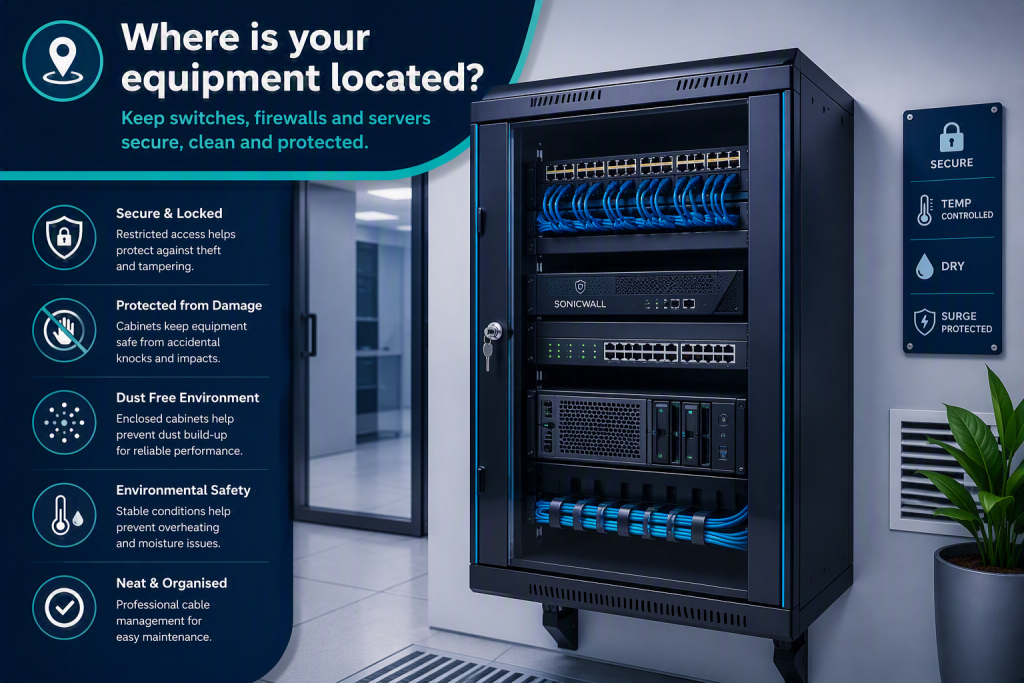
Where is your IT equipment located?
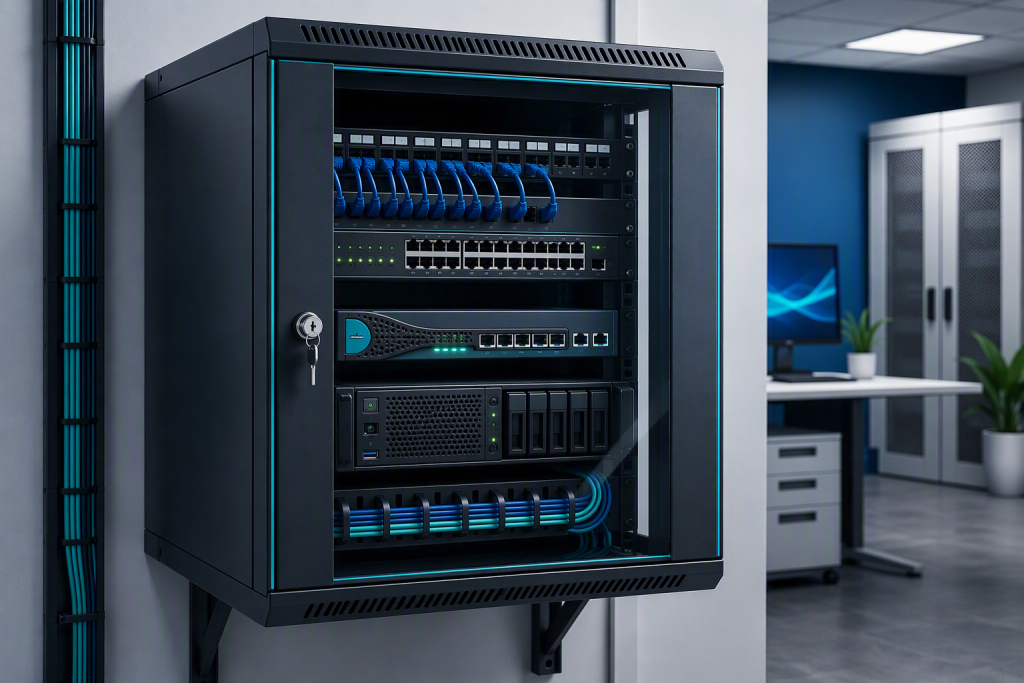
Your switches, firewalls, servers and backup devices should be housed somewhere secure, clean and suitable for IT equipment. That does not always mean a dedicated server room. For many small businesses, a well-installed wall cabinet or network rack is perfectly appropriate.
What matters is that equipment is protected from accidental damage, dust, moisture, unauthorised access and normal office activity.
A suitable equipment location should be:
- Secure and lockable
- Clean and dry
- Protected from accidental knocks
- Easy for authorised engineers to access
- Free from clutter around vents and cables
- Supported by tidy cable management
Good physical security also supports cyber security. If anyone can access the cabinet, they may be able to unplug equipment, connect unauthorised devices or interfere with cabling. It is a simple risk, but still one worth managing.
How is it powered?
Power arrangements are one of the first things we would look at during a basic infrastructure review.
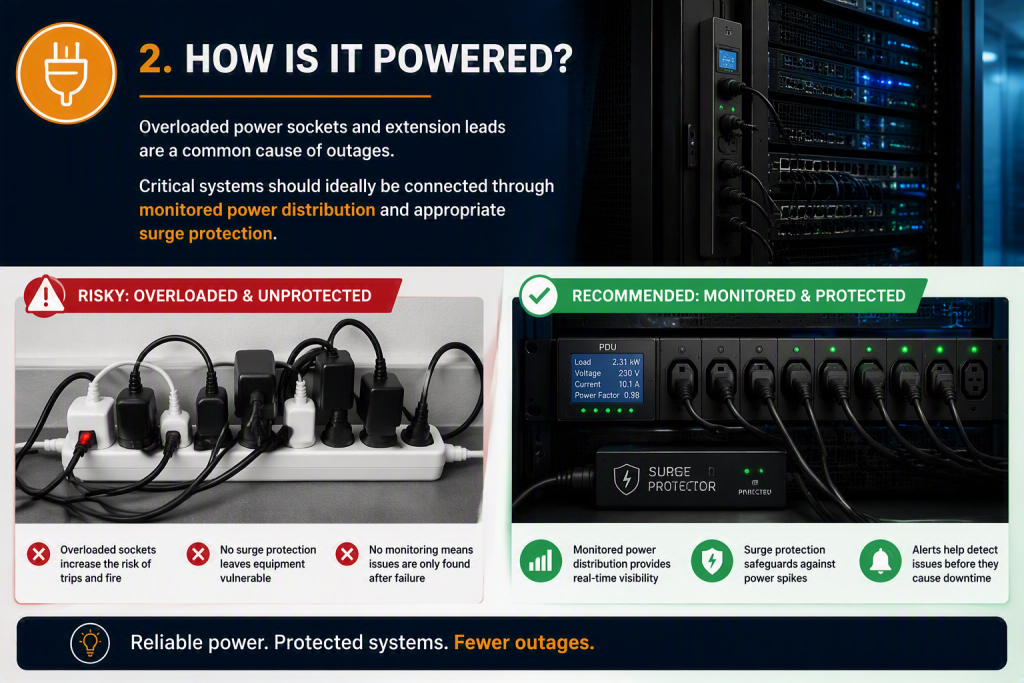
Overloaded sockets, daisy-chained extension leads and mixed power strips are all warning signs. They may work for a while, but they are not ideal for business-critical equipment. A firewall, switch or server going offline can quickly affect phones, internet access, shared files, business applications and remote working.
Critical systems should ideally be connected through proper power distribution, with appropriate surge protection. Where suitable, monitored power distribution can also give useful visibility of load, voltage and possible issues before they cause downtime.
A good review should consider:
• Whether sockets are overloaded
• Whether extension leads are being used appropriately
• Whether surge protection is in place
• Whether equipment is split sensibly across available power
• Whether power usage can be monitored
• Whether anything needs a more resilient setup
This is a practical area, but small improvements can make a real difference.
What happens during a power cut?
Even a short power cut can cause problems if systems shut down unexpectedly.
An Uninterruptible Power Supply, often called a UPS, provides temporary battery power when mains power fails. It can keep essential systems running through a short outage, or allow equipment to shut down safely if the interruption lasts longer.
The right approach depends on your setup. A small office using mainly cloud-based services may only need enough resilience to keep networking equipment stable. A business running local servers may need a more carefully planned UPS arrangement with safe shutdown procedures.
UPS units also need checking. Batteries do not last forever, and a unit installed several years ago may no longer provide the runtime the business expects.
Useful questions include:
- What equipment is connected to the UPS?
- How long will it run during an outage?
- Are alerts configured?
- When were the batteries last tested or replaced?
- Is there a safe shutdown process for critical systems?
- Who is responsible for checking it?
Power resilience is closely linked to business continuity. If your systems are needed to serve clients, process work or communicate with your team, a short power issue can quickly become a business issue.
Are you monitoring your IT environment?
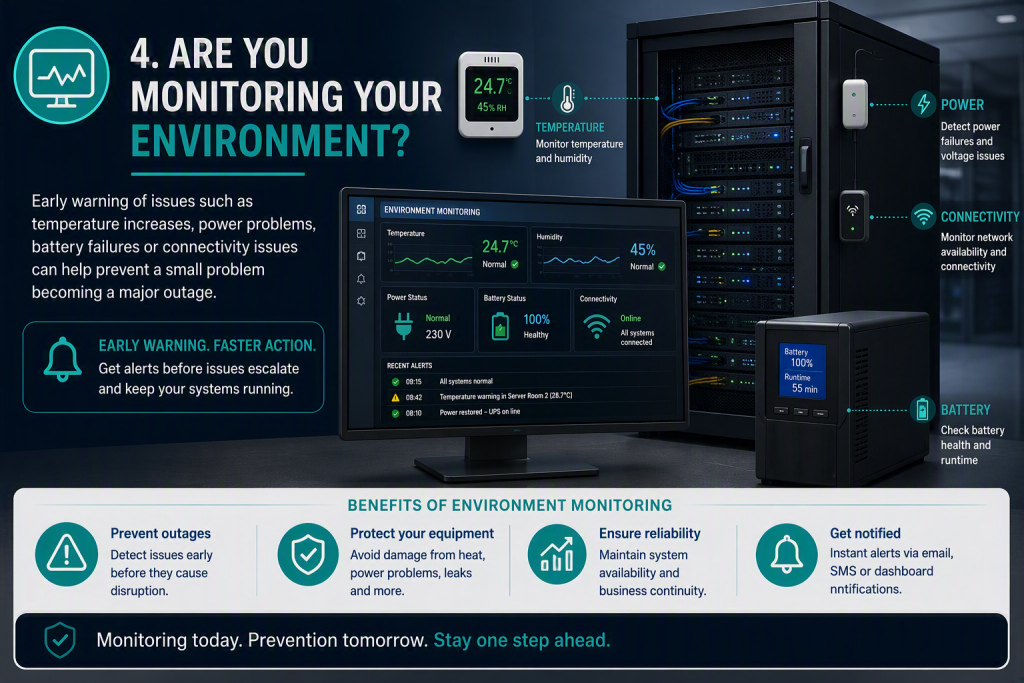
Environmental monitoring gives you early warning when something starts to move outside normal conditions.
That might include rising temperature, humidity, power issues, UPS battery problems or network connectivity issues. These are the sorts of things that often begin quietly. By the time someone notices the problem, the disruption may already have started.
Monitoring helps by turning hidden risks into alerts. It gives your IT team or support provider the chance to investigate before a small issue becomes a wider outage.
Environmental monitoring can cover:
- Temperature
- Humidity
- Power status
- UPS battery health
- Network availability
- Connectivity interruptions
- Alerts by email, text message or dashboard
This is particularly useful for equipment that is out of sight. Many comms cabinets are in cupboards, corridors, plant rooms or small offices, and they are not always checked unless something has gone wrong.
Is your IT equipment adequately cooled?
Heat is one of the biggest causes of premature hardware failure. Servers, switches, firewalls and storage devices all generate heat, and they perform best in a stable environment with suitable airflow.
Cooling does not always mean installing dedicated air conditioning. In some cases, the first step is simpler: improving ventilation, clearing space around the cabinet, removing dust, checking fans or relocating equipment away from unsuitable areas.
nTrust’s own critical infrastructure is actively monitored and maintained, with consistent temperatures kept between 15°C and 20°C. This reduces hardware stress, improves equipment lifespan, lowers overheating risk and ensures fewer unexpected outages.

A cooling review should look at:
- Room temperature
- Cabinet temperature
- Ventilation and airflow
- Dust build-up
- Blocked vents
- Equipment spacing
- Nearby heat sources
- Humidity or moisture risks
This is one of those areas where prevention is much easier than recovery.
Why these checks matter
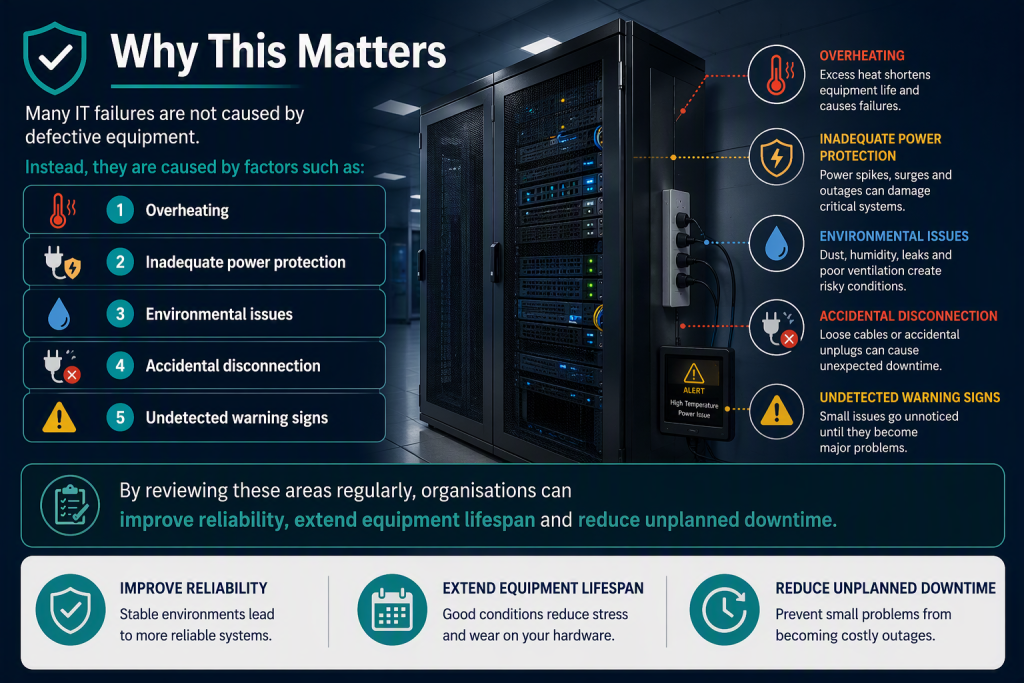
Many IT failures are not caused by defective equipment. They are caused by the conditions around it.
Common risks include:
- Overheating
- Inadequate power protection
- Environmental issues
- Accidental disconnection
- Undetected warning signs
Individually, these can seem minor. Together, they affect the reliability of the systems your business depends on every day.
There is also a cyber security angle. Reliable infrastructure supports secure infrastructure. If a firewall fails, a switch drops, a server overheats or backup equipment loses power, your technical controls may not work as expected.
For small businesses, downtime can be felt quickly. Staff cannot access systems, client work slows down, calls may not route properly, and files may be unavailable. Regular checks help reduce that risk.
What should a basic infrastructure review include?
A useful review should focus on the practical areas that affect reliability and risk.
For most small businesses, we would suggest checking:
- Where key IT equipment is located
- Whether cabinets or racks are secure and suitable
- How critical systems are powered
- Whether surge protection and UPS protection are in place
- Whether UPS batteries are healthy
- Whether temperature and humidity are being monitored
- Whether cooling and airflow are adequate
- Whether cables are tidy, labelled and protected
- Whether there are signs of dust, damp or accidental damage
- Whether alerts are configured for important issues
Often, the benefit comes from spotting small improvements early. A cabinet may need tidying. A UPS battery may need replacing. Equipment may need moving to a cooler location. A power arrangement may need simplifying.
None of those are dramatic projects, but they can all reduce the chance of avoidable downtime.
How nTrust can help
At nTrust, we help small businesses across the South East keep their IT environments secure, reliable and well managed.
We can review your server room, comms cabinet, network cabinet or equipment location and provide practical guidance on:
- UPS protection
- Power resilience
- Environmental monitoring
- Network cabinets and racks
- Equipment cooling
- Infrastructure best practice
- General IT resilience
The aim is to help you understand where avoidable risks exist and what can be improved.
Sometimes the best IT work is the quiet, preventative kind. A safer power setup. Better monitoring. A UPS that is ready when needed. A cooling issue fixed before equipment fails.
Those details help keep systems running and give you more confidence that your business is not relying on luck.
Would you like us to take a look?
If you are unsure where your critical IT equipment is located, how it is powered or whether the environment is being monitored, it is worth arranging a review.
Even a brief check can often identify simple improvements that help reduce risk, protect equipment and support business continuity.
Contact us if you would like us to review your setup.